Actions Module

Track Every Action to Completion

Assign tasks, set priorities, track due dates, and get automatic overdue notifications. No action slips through the cracks everyone knows what they need to do and when.

PDCA
Phased Action Plans
Overdue Notifications
Linked to Ideas
Comments & Files

Full Visibility Across Every Action

The Actions dashboard shows everything at a glance clickable status cards filter instantly between To Do, In Progress, Completed, Blocked, and Overdue. Every action card shows its priority, assignee, due date, and the idea it's linked to.

Clickable status cards with colour-coded counts
Priority badges: Urgent, High, Medium, Low
Overdue indicators flag actions needing attention
Filter by status, priority, assignee, or overdue
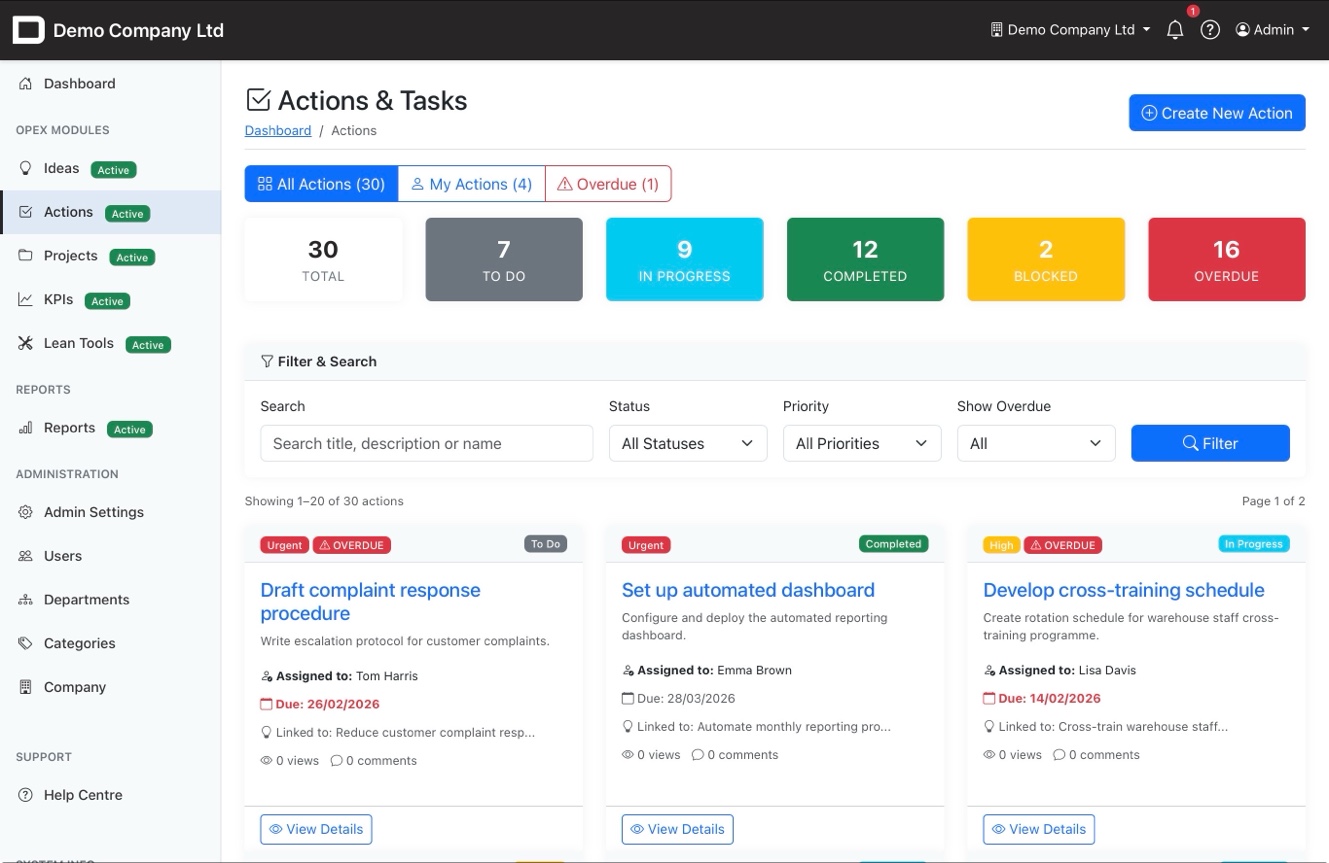
Actions list with status cards and filtering

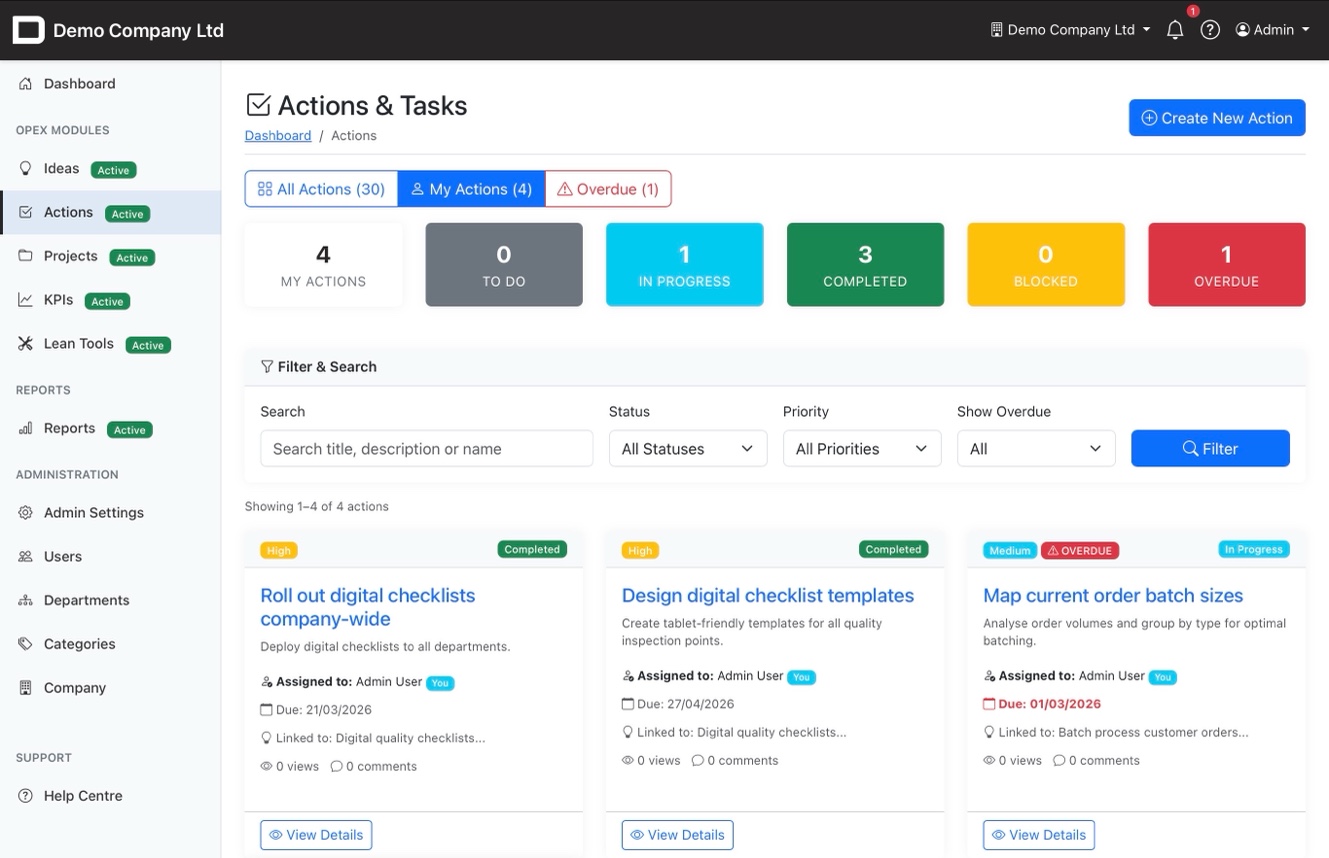
My Actions Your Personal Task List

Every team member gets a filtered view of just their actions. One click on "My Actions" shows what's assigned to you what's due, what's overdue, and what's been completed. No digging through other people's work to find yours.

Personal filtered view with one click
"You" badge clearly marks your assignments
Overdue count visible at all times
Actions linked back to their parent idea
My Actions filtered view showing personal assignments

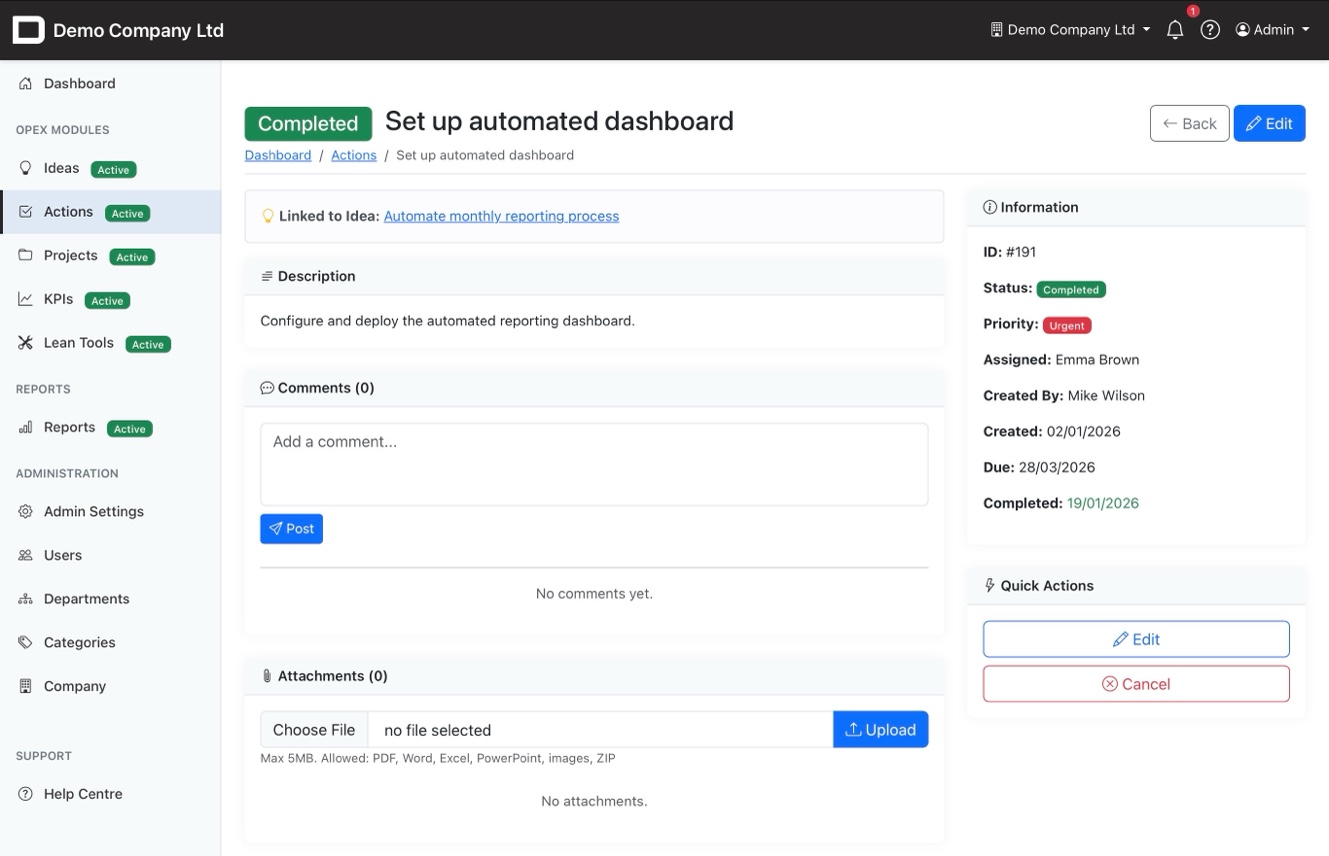
Everything in One Place

Each action has a dedicated view showing its full details, linked idea, comments thread, and file attachments. Team members can discuss progress, upload evidence, and managers can see exactly where things stand.

Linked directly to the parent improvement idea
Comments thread for team discussion
File attachments — PDF, Word, Excel, images
Status, priority, assignee, and dates all visible
Action detail view with comments, attachments and linked idea

Never Lose Track of an Action Again

Automatic notifications, clear ownership, and full accountability all built in.