Projects Module

Manage Improvement Projects End-to-End

Gantt charts, team management, linked ideas, and progress tracking everything you need to coordinate multi-action improvement programmes in one place.

Interactive Gantt Charts
Team Management
Linked Ideas & Actions
£
Est. Savings Per Project

All Your Projects at a Glance

The Projects dashboard shows every initiative with status cards you can click to filter. Each project card shows its progress bar, linked idea and action counts, priority, owner, and target date. Overdue projects are flagged immediately.

Status cards: Planning, Active, On Hold, Completed, Cancelled
Progress bars calculated from completed actions
Overdue badges highlight projects needing attention
Linked Ideas and Actions count on every card
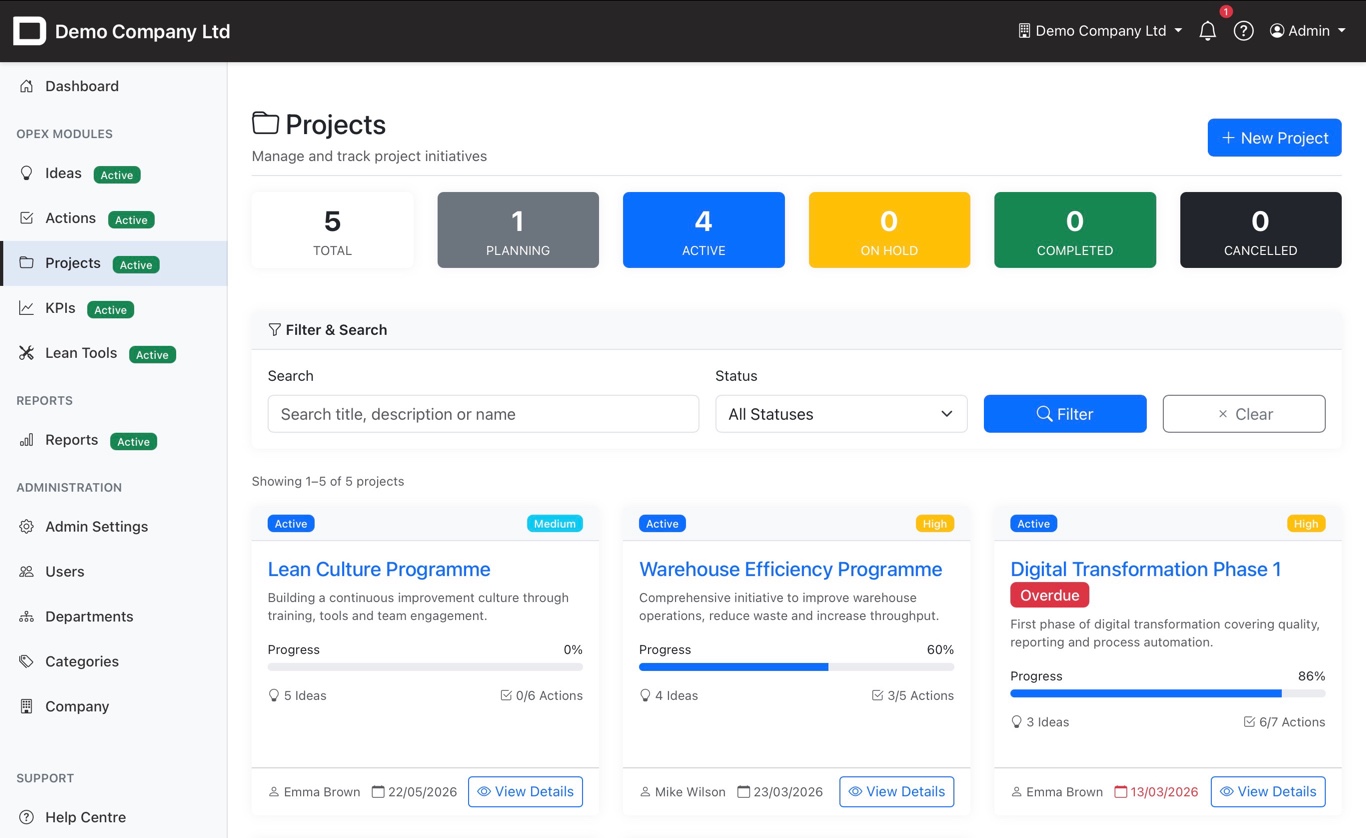
Projects list with status cards and progress bars

Gantt Charts & Team Management

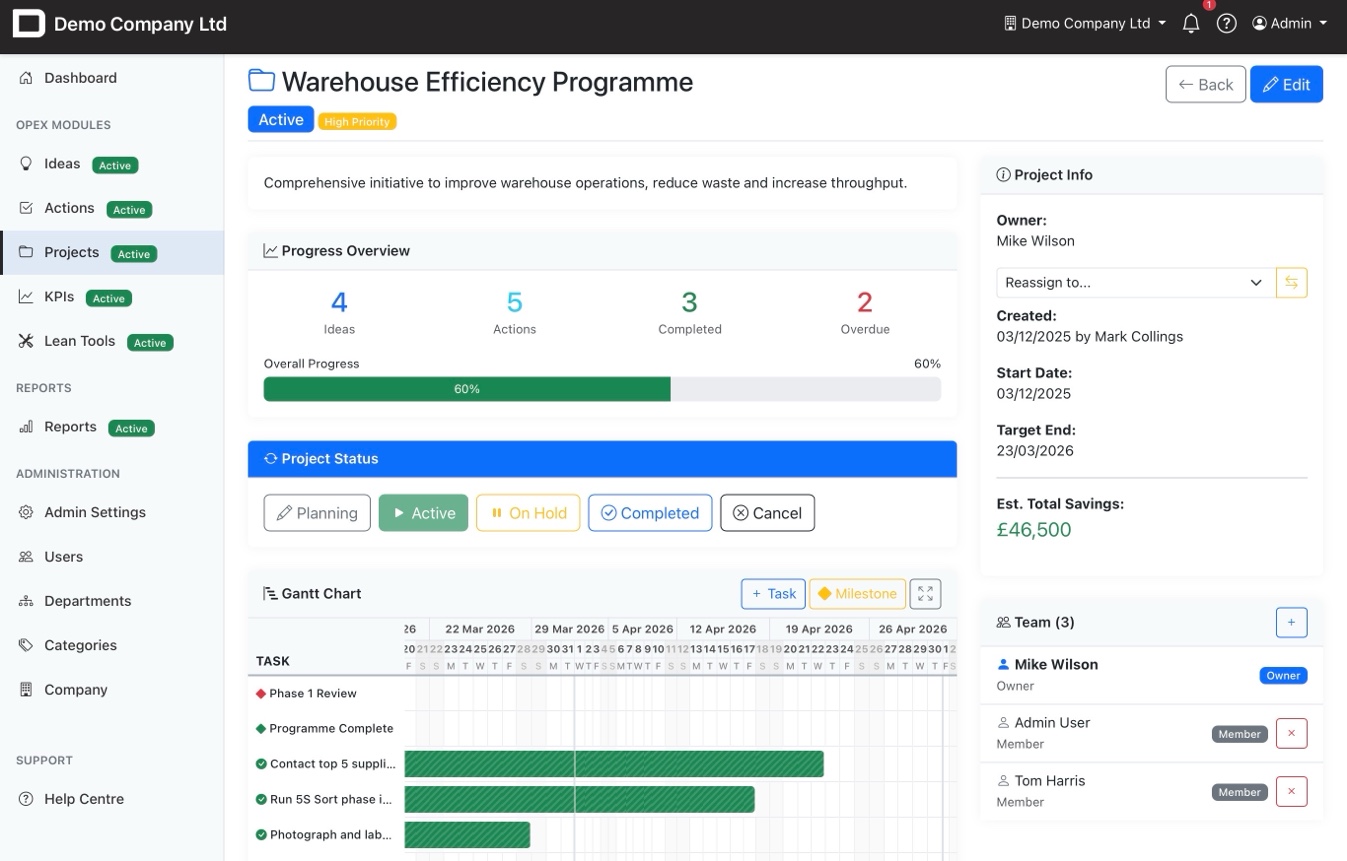
Every project has an interactive Gantt chart showing tasks, milestones, and progress. The team panel on the right shows the project owner and members with role-based permissions. Status buttons let you move projects through their lifecycle with a single click.

Interactive Gantt chart with tasks and milestones
Progress overview: Ideas, Actions, Completed, Overdue
Team panel with Owner and Member roles
Estimated total savings across all linked ideas
Project detail with Gantt chart, team panel and progress overview

Ideas and Actions Connected

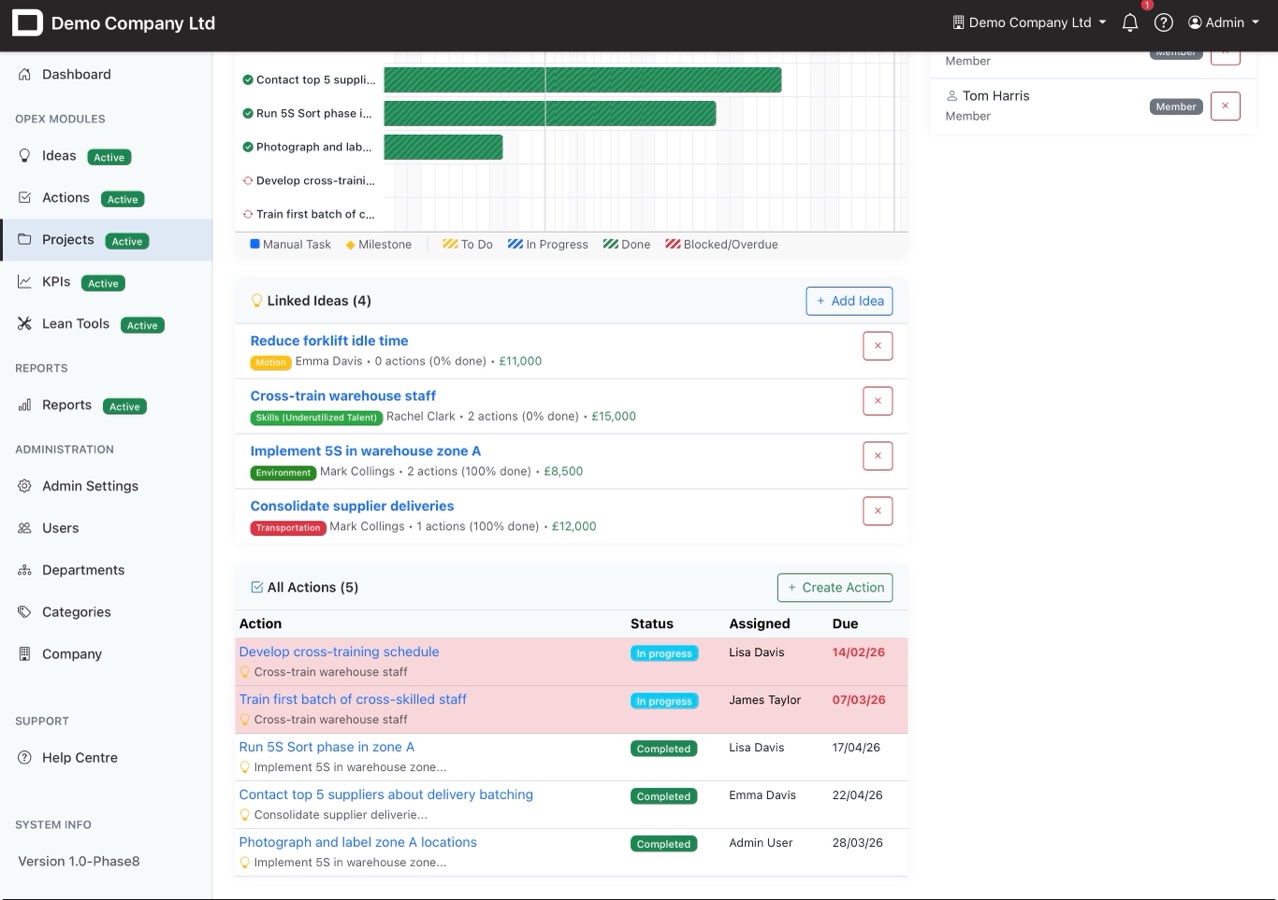
Projects bring ideas and actions together. Link improvement ideas to the project and see their status, estimated savings, and action progress. All project actions are listed with assignments, due dates, and status nothing gets lost between teams.

Link multiple ideas to a single project
See per-idea savings and completion percentage
All actions listed with assignee, status, and due date
Create new actions directly from the project view
Linked ideas and actions within a project

Set Up in Minutes

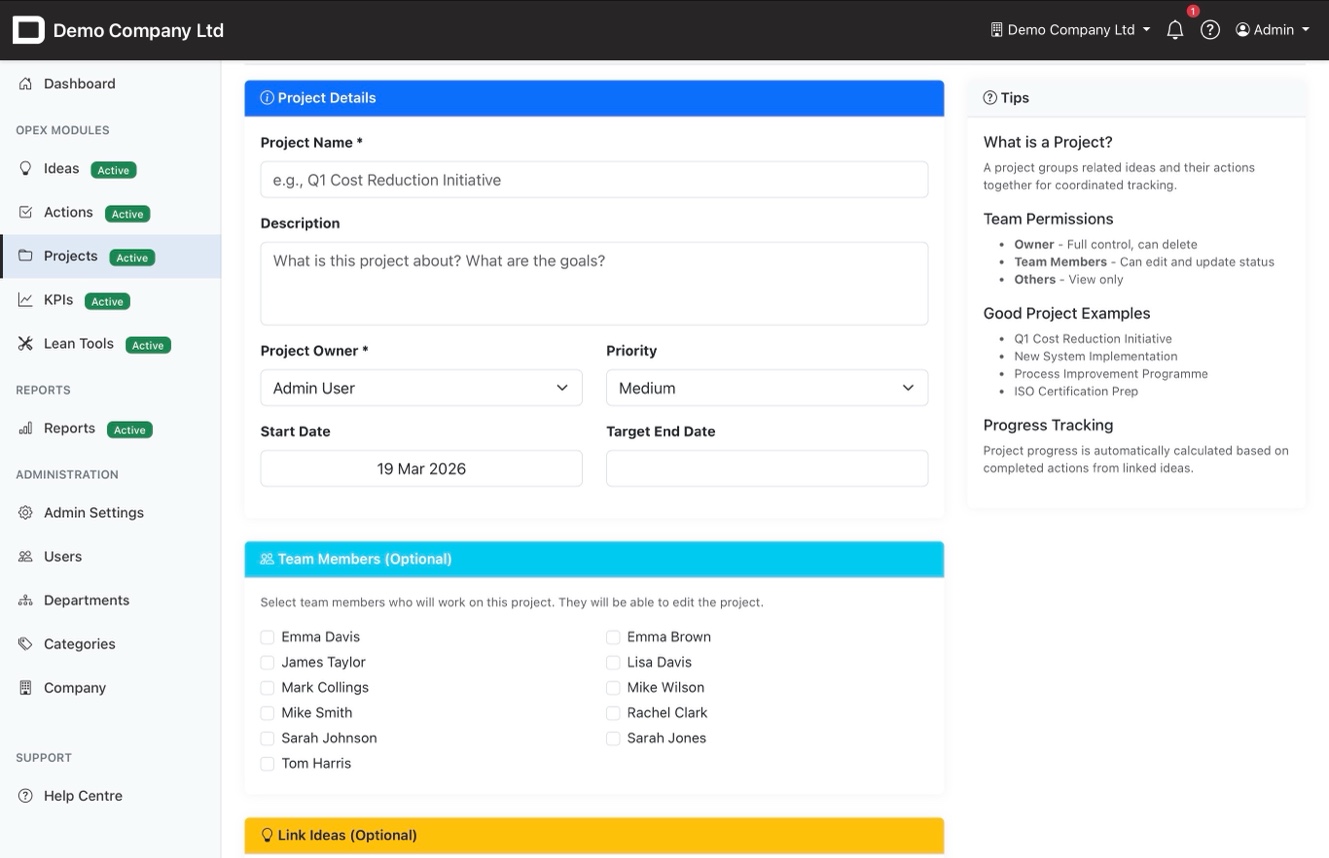
Creating a new project is straightforward name it, set the owner and priority, pick start and target dates, and select team members. The tips panel guides new users through what a project is, how permissions work, and what makes a good project.

Select team members with role-based permissions
Link existing ideas at creation or add them later
Tips panel guides first-time users
Progress auto-calculated from linked actions
Create project form with team selection and tips

Coordinate Your Improvement Programmes

From planning through to completion track every project, every team member, every action.